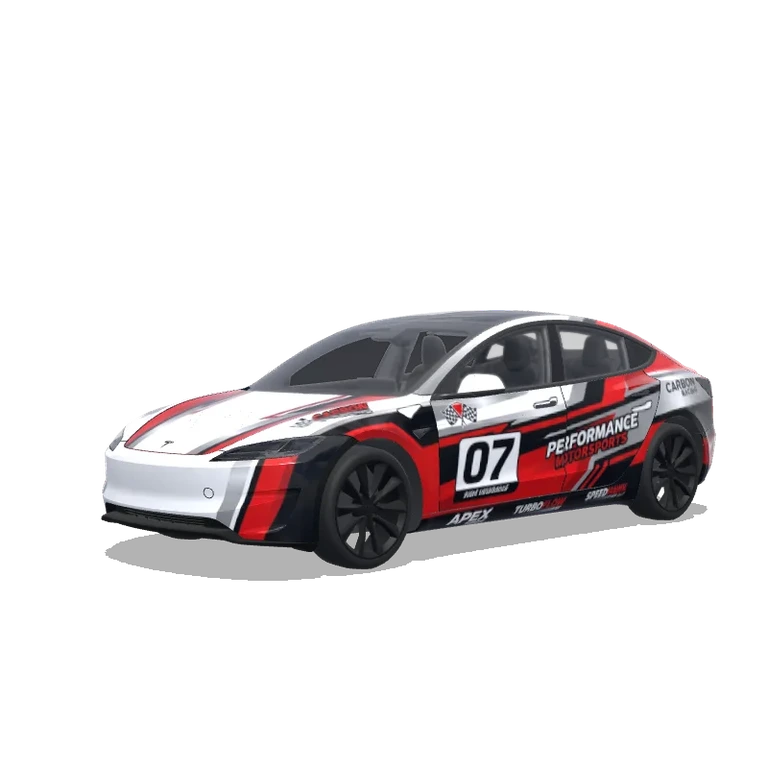
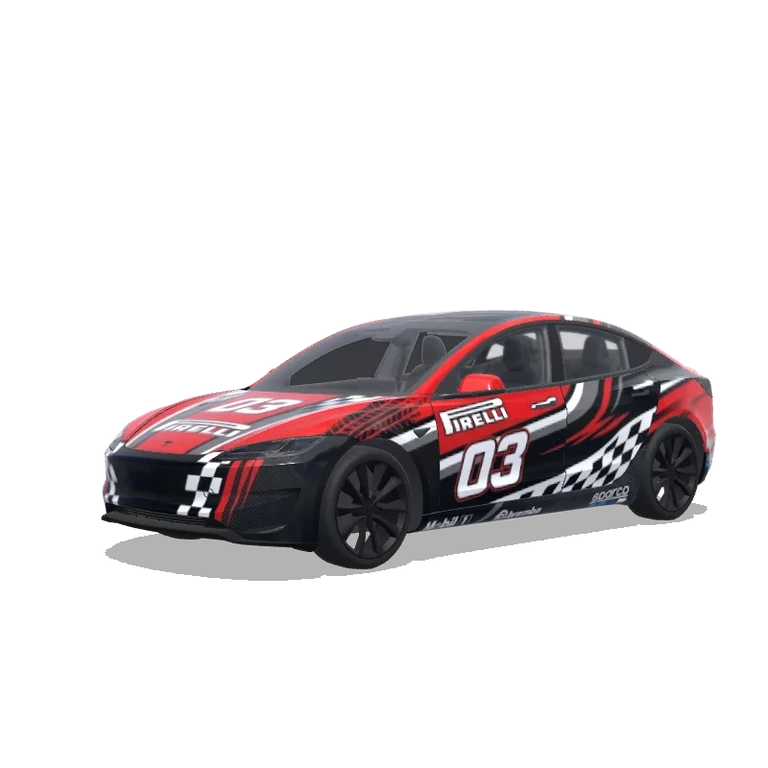
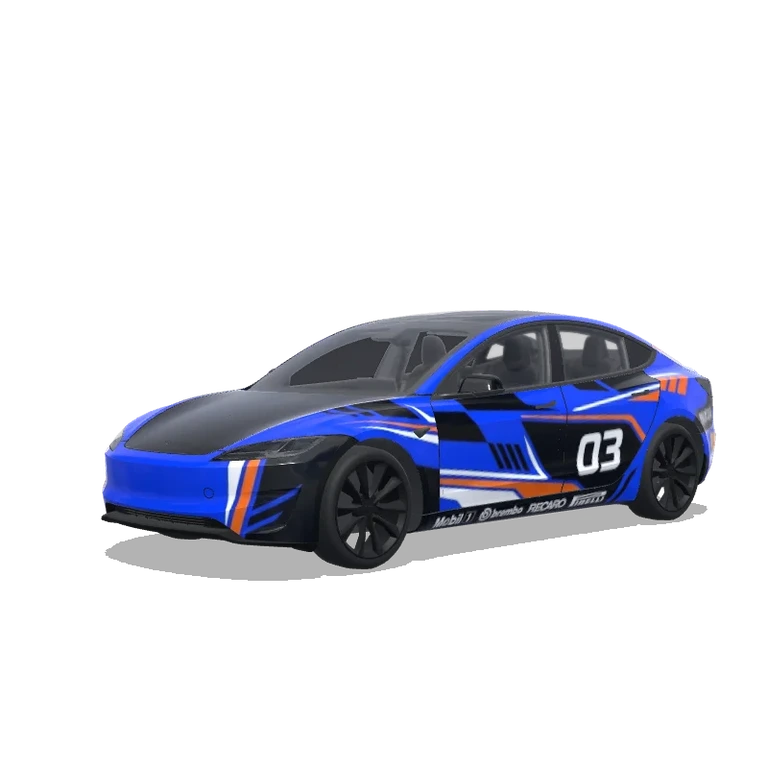
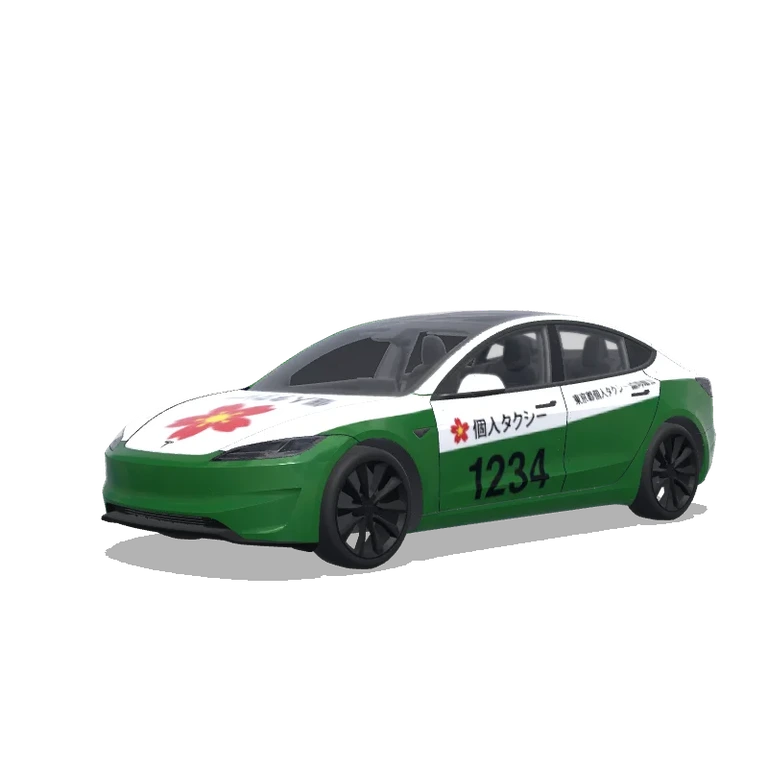
 AI
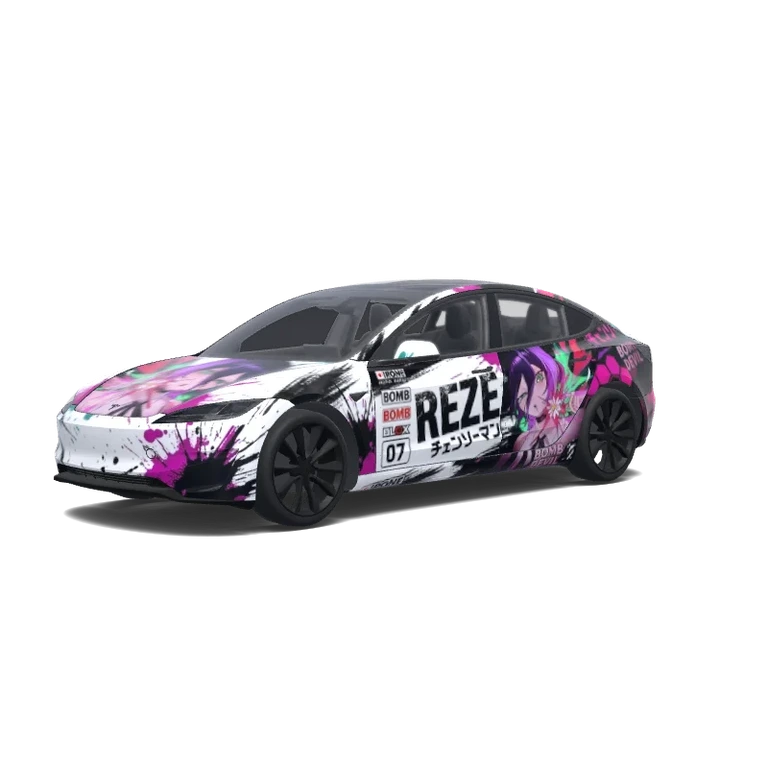
Modell 3 (2024+) Leistung · Kundenspezifisches Design · CdappIpC
KI-Prompt für neue Varianten
Gestalte eine digitale Folierung für Tesla Model 3 (2024+) Performance mit der exakten UV-Vorlage 1024 × 1024. Thema: Modell 3 (2024+) Leistung · Kundenspezifisches Design · CdappIpC. Gestaltung: Behalte die sichtbaren Motive, Texturen und die Anordnung der Vorlage bei. Referenzfarben: Schwarz, Weiß, Magenta, Rosa, Silber. Platziere Hauptmotive auf Türen, Motorhaube und Seiten; passe die Größe an die Fahrzeugproportionen an. Richte zusammenhängende Grafiken an den UV-Grenzen aus. Erhalte transparente Flächen außerhalb der Vorlage. Keine Räder, Fenster, Landschaft oder gerenderten Autos hinzufügen. Ausgabe als flache PNG-Textur, nicht als Perspektivansicht.
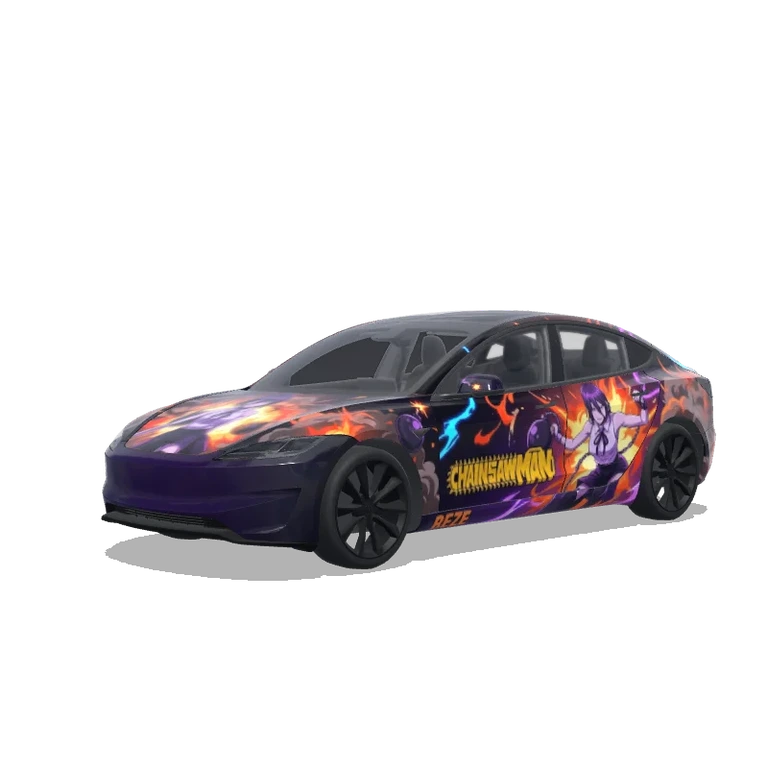
Ursprüngliches Briefing: Create a highly detailed, professional Japanese Itasha (anime car wrap) design for a 2026 Tesla Model 3 Performance, inspired by Reze (the Bomb Devil) from Chainsaw Man.
1. Overall Visual Style
Recreate the original Reze wrap design as closely as possible.
* Primary colors: white, black, hot pink, magenta, and purple.
* Accent colors: small amounts of teal and green around Reze’s character illustration.
* Aggressive Japanese racing-inspired Itasha aesthetic.
* Dynamic paint splashes, distressed brushstrokes, ink splatters, and sharp diagonal transitions.
* High-contrast black-and-white composition with vivid pink details.
* A clean, professional anime racing livery, not an entirely new ar…
Original-Prompt des Erstellers
Create a highly detailed, professional Japanese Itasha (anime car wrap) design for a 2026 Tesla Model 3 Performance, inspired by Reze (the Bomb Devil) from Chainsaw Man. 1. Overall Visual Style Recreate the original Reze wrap design as closely as possible. * Primary colors: white, black, hot pink, magenta, and purple. * Accent colors: small amounts of teal and green around Reze’s character illustration. * Aggressive Japanese racing-inspired Itasha aesthetic. * Dynamic paint splashes, distressed brushstrokes, ink splatters, and sharp diagonal transitions. * High-contrast black-and-white composition with vivid pink details. * A clean, professional anime racing livery, not an entirely new artistic interpretation. The front half of the vehicle should be predominantly white, gradually transitioning into a predominantly black rear half with explosive pink and black brushstroke effects. 2. Side Body Design Reproduce the layout shown in the reference images. Front doors and front fenders: * White primary background with diagonal black and magenta splashes. * Large, bold, distressed black lettering reading “REZE” across the doors. * Small Japanese text “チェンソーマン” underneath. * Secondary text “BOMB DEVIL”. * Vertical racing-style sponsor decals: IPONE, BOMB, BLOX, and racing number 07. Rear doors and rear quarter panels: * Large, detailed illustration of Reze with purple hair, green eyes, and a black ribbon around her neck. * Reze should hold a pink flower surrounded by explosive pink, purple, and teal visual effects. * Position the character prominently across the rear door and rear quarter area. * Integrate her illustration naturally into the surrounding black-and-pink brushstroke graphics. * Transition the rear quarter into a predominantly black background with vivid magenta hexagonal patterns. * Include Japanese Chainsaw Man typography and small Bomb Devil lettering. Both sides should closely match the reference while maintaining correct character orientation and readable text. Do not simply mirror lettering backward. 3. Front Hood Design — CRITICAL ORIENTATION REQUIREMENT Create a large Reze illustration on the front hood using the same character design and explosive flower effects shown in the original reference. Correct the character’s orientation according to the vehicle’s actual front and rear directions. * Reze’s head must be positioned closer to the windshield. * Her upper body should extend toward the front bumper. * The character must appear upright when viewed from directly in front of the vehicle, looking toward the windshield. * Do not rotate the character upside down or position her based solely on the orientation of the flattened template. * Use white as the primary hood background with black and magenta splashes extending toward the edges. * Keep the character proportional to the hood, without excessive stretching or distortion. The hood artwork must visually connect with the front bumper graphics once assembled on the 3D vehicle. 4. Front and Rear Bumpers Front bumper: * Predominantly white. * Dynamic black and magenta splatter graphics extending from the hood. * Maintain visual continuity across the hood-to-bumper transition. * Avoid large, unnecessary typography across the front bumper. Rear bumper: * Predominantly black. * Pink hexagonal patterns and subtle magenta splatter details. * White or pink “BOMB DEVIL” typography. * Japanese Chainsaw Man-inspired graphic elements. * Maintain a balanced, aggressive racing appearance. 5. Roof and Windows * Preserve the original black glass roof appearance. * Do not place character illustrations across the windshield or panoramic glass roof. * Keep window graphics minimal. * Any small window decals must be positioned appropriately without obstructing visibility. 6. Accurate 2D Template Mapping — EXTREMELY IMPORTANT The final artwork must fit the supplied Tesla Model 3 Performance wrap template exactly. * Maintain every original panel boundary and cutout. * Identify the correct front, rear, left, and right directions before positioning graphics. * Ensure graphics are correctly oriented for their corresponding vehicle panels. * Match artwork across adjacent doors, fenders, hood, and bumpers. * Prevent faces, text, and important details from being cut off by panel boundaries. * Ensure the design looks correct after being assembled onto the actual 3D vehicle. * Keep the black negative spaces and window areas of the supplied template unchanged. * Do not generate a new car, new template, alternative body shape, or perspective mockup. * Do not add unnecessary elements that are absent from the original reference. 7. Final Output Produce a high-resolution, flat 2D vehicle wrap layout directly on the provided template. The final design should closely reproduce the original Reze Itasha aesthetic, including character placement, racing typography, white-to-black transitions, pink paint splashes, and honeycomb effects. Prioritize template accuracy, correct hood orientation, side-panel alignment, and faithful reproduction of the reference design over artistic reinterpretation. Do not generate a rendered vehicle, 3D mockup, background environment, or completely redesigned template. The goal is to reproduce the original Reze wrap artwork on the exact supplied Tesla Model 3 Performance template, ready for further alignment and print preparation.
Remix-Optionen und Prompt-Informationen
Aus Bild, Designkontext und Fahrzeugversion erstellt. Ein Briefing für neue Varianten, kein rekonstruierter Original-Prompt.
Gefällt mir
Herunterladen0
Aktualisiert
Öffentliches Galerie-Design · Kostenlos
Originaltitel des Designs
Model 3 (2024+) Performance · Custom design · CdappIpC
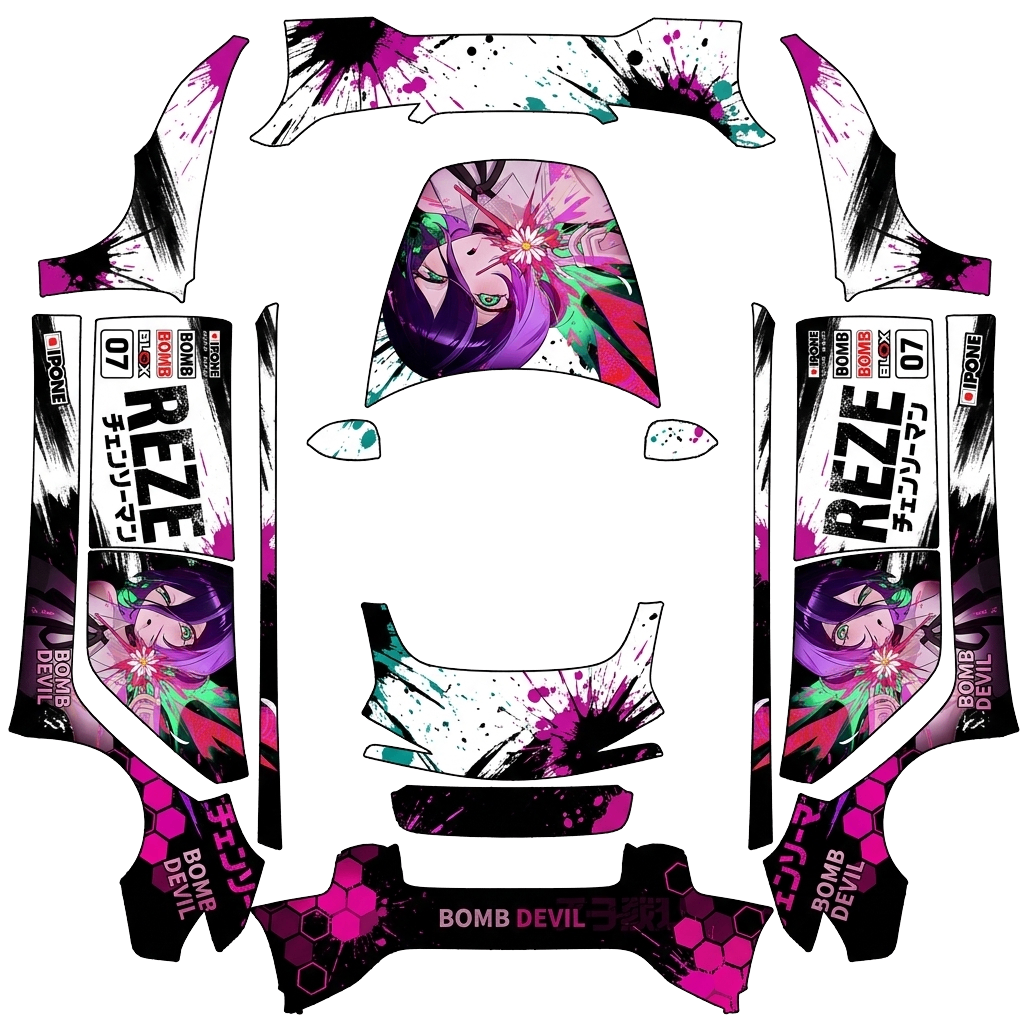
Herunterladbare Folierungs-PNG
Das Fahrzeugbild zeigt das Design auf dem Auto. Diese flache PNG-Datei können Sie herunterladen, prüfen und in Paint Shop oder den Editor importieren.
PNG1024 × 1024 px731,6 KBModel 3 (2024+) Performance
Dateiprüfung bestanden · Details
- DateiformatEchte PNG-Datei
- PNGOK
- Bildmaße512–1024 px pro Seite
- 1024 × 1024 pxOK
- DateigrößeHöchstens 1 MB
- 731,6 KBOK
- Download-DateinameMaximal 30 Zeichen · ASCII-Buchstaben, Ziffern, Leerzeichen, _ oder -
- cb33e48fa3fd1306e232.pngOK
- Maße der FahrzeugvorlageMuss 1024 × 1024 px entsprechen
- 1024 × 1024 pxOK
Diese Prüfungen betreffen Format, Dateigröße und Vorlagenmaße. Die Ausrichtung der Karosserieteile und die Unterstützung im Fahrzeug müssen separat geprüft werden. Diese PNG dient der Bildschirmdarstellung, nicht der Herstellung einer Fahrzeugfolie.
Über dieses Design
„Modell 3 (2024+) Leistung · Kundenspezifisches Design · CdappIpC“ ist ein digitales Design für Model 3 (2024+) Performance. Die PNG-Vorlage hat 1024 × 1024 Pixel. Vergleichen Sie Titelbild und 3D-Vorschau. Prüfen Sie vor dem Upload zu Ihrem Tesla Modellversion, Vorlage und Dateivorgaben. Keine Druckdatei für Fahrzeugfolierung.
Öffne ein Galerie-Design im Editor, ändere Farben oder ergänze Grafiken. Du kannst auch neue Tesla-Folierungen mit KI erstellen und in 3D ansehen.
Upload-Anleitung
Lade eine PNG-Datei für die genaue Vorlage deines Model 3 (2024+) Performance herunter. Übertrage sie in der Tesla-App über Creations → Wrap → Upload oder über den USB-Ordner Wraps. Wähle sie unter Spielkiste → Paint Shop → Wraps für die Fahrzeugdarstellung auf dem Bildschirm aus.
- PNG herunterladenWählen Sie die PNG für Ihr genaues Modell, Baujahr und Ihre Variante. Jede Seite muss 512–1024 Pixel groß sein, die Datei höchstens 1 MB.
- In der Tesla-App hochladenÖffnen Sie in der Tesla-App ab Version 4.59.0 Creations → Wrap → Upload und wählen Sie die PNG.
- Alternativ per USBKopieren Sie die PNG in den Ordner Wraps im Stammverzeichnis eines FAT32- oder exFAT-USB-Sticks und verbinden Sie ihn mit dem Fahrzeug.
- Im Fahrzeug anwendenÖffnen Sie Toybox → Paint Shop → Wraps. Wählen Sie das Design und prüfen Sie die Positionen der Karosserieteile und Übergänge.
Häufige Fragen
Wie installiere ich eine Folierung für meinen Model 3 (2024+) Performance?
Lade eine PNG-Datei für die genaue Vorlage deines Model 3 (2024+) Performance herunter. Übertrage sie in der Tesla-App über Creations → Wrap → Upload oder über den USB-Ordner Wraps. Wähle sie unter Spielkiste → Paint Shop → Wraps für die Fahrzeugdarstellung auf dem Bildschirm aus.
Sind Folierungen für Model 3 (2024+) Performance kostenlos?
Viele Designs für Model 3 (2024+) Performance sind kostenlos. Kostenpflichtige Designs sind gekennzeichnet; für den Download der PNG-Datei ohne Wasserzeichen benötigst du Guthaben.
Welches Dateiformat benötigen Folierungen für Model 3 (2024+) Performance?
Verwende eine PNG-Datei in der Originalgröße der offiziellen Model 3 (2024+) Performance-Vorlage, innerhalb der unterstützten Abmessungen von 512–1024 Pixeln und höchstens 1 MB groß. Wähle die genaue Fahrzeugvariante, damit das Motiv auf die Karosserieteile passt.
Kann ich meine eigene Folierung für Model 3 (2024+) Performance gestalten?
Ja. Wähle die Model 3 (2024+) Performance-Vorlage im Editor, füge Bilder, Text oder Farben hinzu und prüfe das Ergebnis vor dem PNG-Export in 3D. Die KI-Generierung ist ebenfalls verfügbar und verbraucht Guthaben.