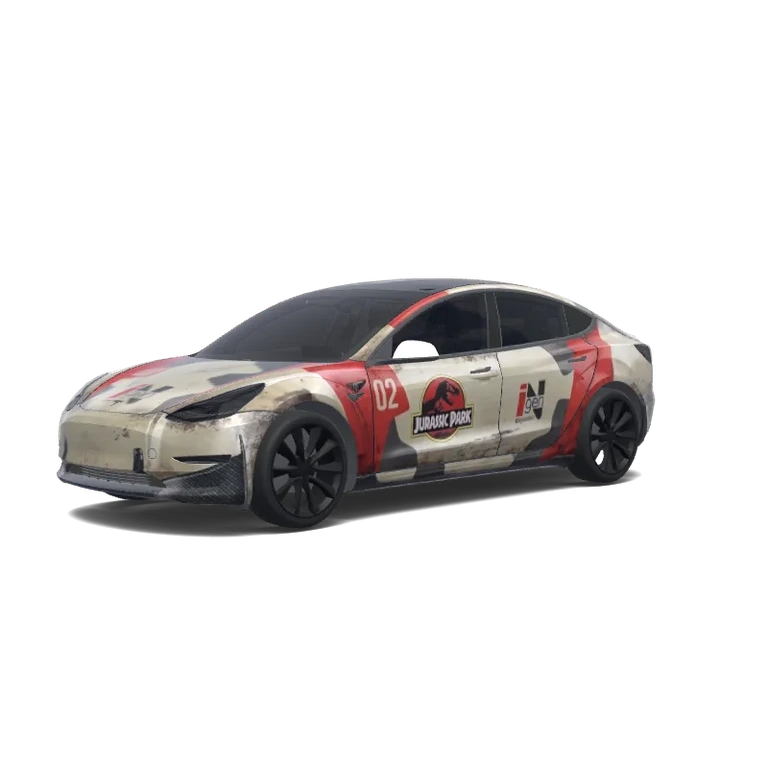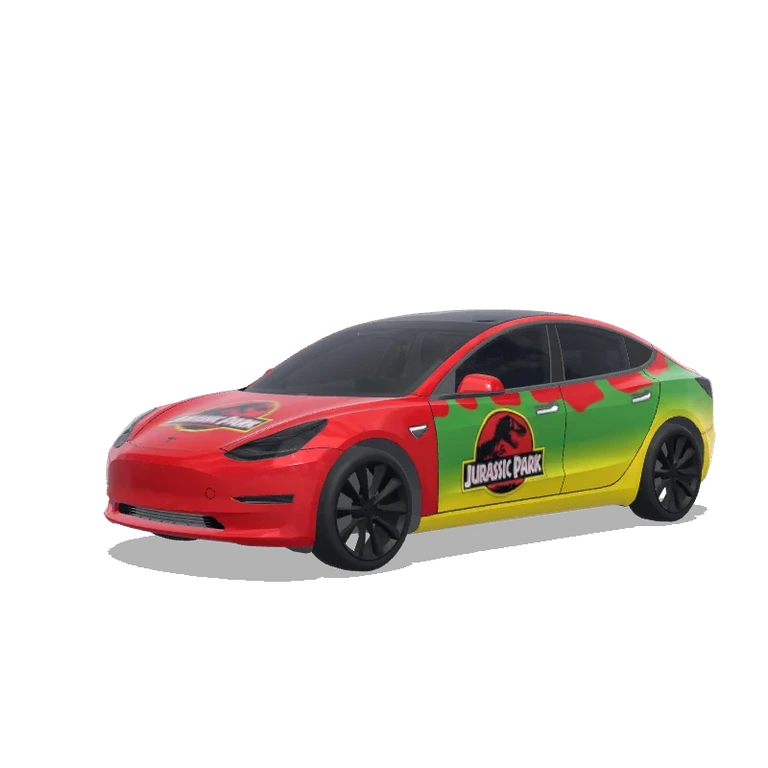
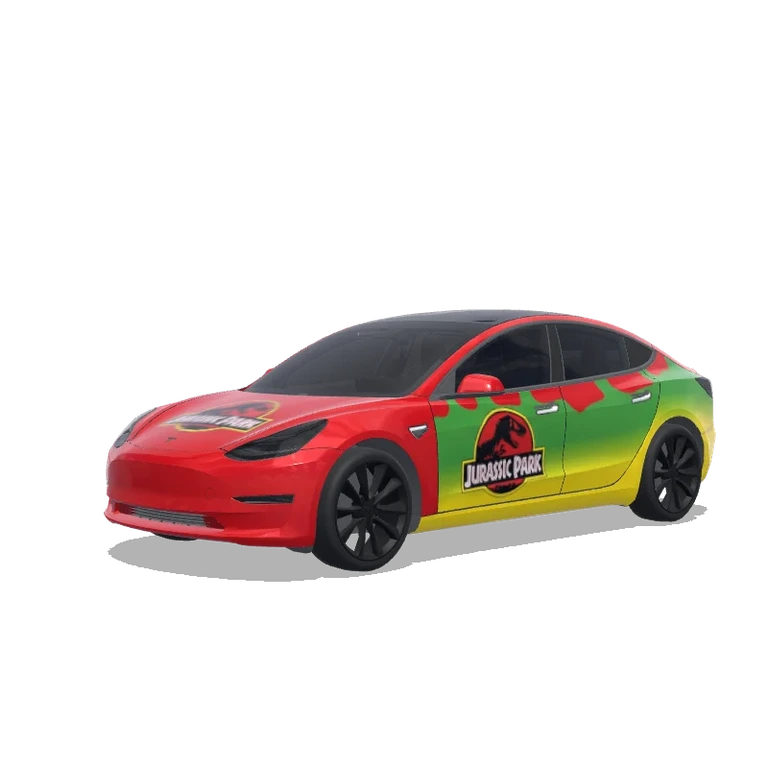
Jurassic Park Tour Jeep
Remix prompt
Create a digital wrap for Tesla Model 3 (2017–2023) using its exact 1024 × 1024 UV template. Theme: Jurassic Park Tour Jeep. Visual direction: the reference artwork’s visible shapes, texture and graphic balance. Reference palette: red, yellow, green. Place key motifs on doors, hood and side panels; adjust their scale to this vehicle’s proportions. Keep connected graphics aligned across UV panel boundaries. Preserve transparent areas outside the supplied panel mask; do not add wheels, windows, scenery or a rendered car. Output a flat PNG texture, not a perspective preview.
the classic Jurassic Park car from when they drive past the t-rex. the one with red on top, green in the middle and yellow on the bottom. it is important that there is a Jurassic Park logo on the door and the text "Jurassic Park" on both sides. and a logo without text on the radiator. Need to be the actual design from the movie
Like
Download0
Updated
Bring your favorite design to your Tesla
Download this design and use it in Tesla Paint Shop.
File checks passedView file checks
- File formatActual PNG file
- PNGPass
- Image dimensions512–1024 px per side
- 1024 × 1024 pxPass
- File sizeAt most 1 MB
- 217.5 KBPass
- Download filenameAt most 30 characters · ASCII letters, digits, spaces, _ or -
- 62a7a5c446e50a851986.pngPass
- Vehicle template dimensionsMust match 1024 × 1024 px
- 1024 × 1024 pxPass
These checks cover file format, size and template dimensions. Panel alignment and support on your vehicle still need checking. This PNG is for screen visualization, not physical wrap production.
Tesla wrap PNG checker →- Download the PNG
- Upload in the Tesla app
- Apply on your vehicle
About this design
the classic Jurassic Park car from when they drive past the t-rex. the one with red on top, green in the middle and yellow on the bottom. it is important that there is a Jurassic Park logo on the door and the text "Jurassic Park" on both sides. and a logo without text on the radiator. Need to be the actual design from the movie
Open a gallery design in the editor to adjust colors, add graphics, or create a variant. You can also generate Tesla wrap ideas with AI and preview them in 3D.
Frequently asked questions
How do I install a wrap on my Model 3 (2017–2023)?
Download a PNG made for your exact Model 3 (2017–2023) template. Upload it in the Tesla app under Creations → Wrap → Upload, or copy it to a USB folder named Wraps. Select it in Toybox → Paint Shop → Wraps to change the on-screen vehicle visualization.
Are Model 3 (2017–2023) wraps free to download?
Many Model 3 (2017–2023) designs are free to download. Premium designs are marked and require credits to download the clean PNG.
What file format do Model 3 (2017–2023) wraps use?
Use a PNG at the native size of the official Model 3 (2017–2023) template, within Tesla’s supported 512–1024 pixel dimensions and no larger than 1 MB. Choose the exact vehicle variant so the artwork aligns with the panels.
Can I create my own Model 3 (2017–2023) wrap?
Yes. Select the Model 3 (2017–2023) template in the editor, add images, text or colors, and check the result in 3D before exporting a PNG. AI generation is also available and uses credits.